


Linode is one of the reputable VPS service providers today.
In particular, the supplier has a program to give credit to new customers.
Specifically, Linode will donate $20 to your account in Linode as soon as your registered account is activated.
This amount is equivalent to 4 months of continuous use for the lowest VPS package.
The lowest VPS package is 5$/month. Its configuration is: 25 GB hard drive, 1 GB RAM and 1 TB bandwidth.
You can see the details of VPS Standard packages as below:

But VPS here is hourly and credit is not limited to usage time.
So if you are looking to learn how to use VPS, you can extend the usage time more than 4 months. Just delete the server you created.
In this article, I will show you how to register for VPS Linode to receive $20 credits.
What do you need to prepare when registering VPS in Linode?
To sign up for an account at Linode, you only need one thing right. It’s a Visa/MasterCard card.
This is not too difficult for us Vietnamese these days, right?
You need to deposit a minimum of 5$ into your Linode account when you sign up.
In my case, this amount will be refunded as soon as the account is successfully activated. If no refund, this money will be used when you run out of credits.
Ok. Now they will start to sign up for an account here.
Instructions to register for VPS Linode get 20$ credit
First visit Linode’s homepage . Enter contact information.

Then Linode, will send you an email like this. Click the link to confirm your email address

Next, you will switch to the Linode Manager screen. Click the OK button Let’s complete my signup.

Now you will have to fill out the registration form as below:
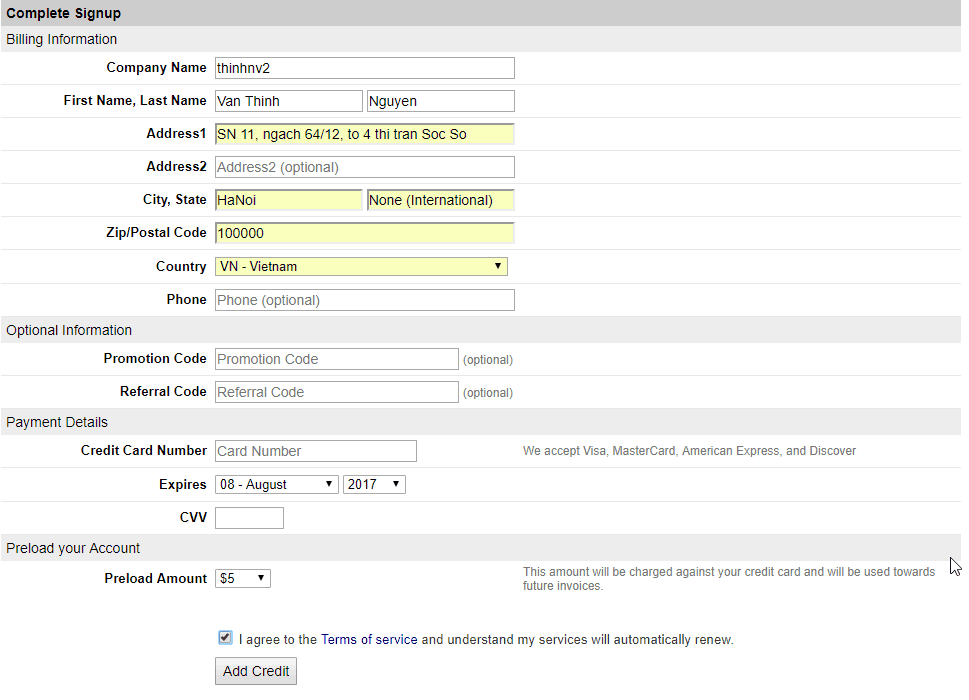
There are a few fields you need to pay attention to:
Postal code you refer to below.
List of postal codes of provinces and cities in Vietnam
Phone number is optional no need to enter
Get the discount code for credit HERE .
Enter credit card information like normal online payment.
The deposit amount chooses to pay 5$.
Finished, check the box I agree to the Term of Servic e and click the Add Credit button .
You will receive a notification that your account will be reviewed. Quite tight but necessary to avoid cheating.
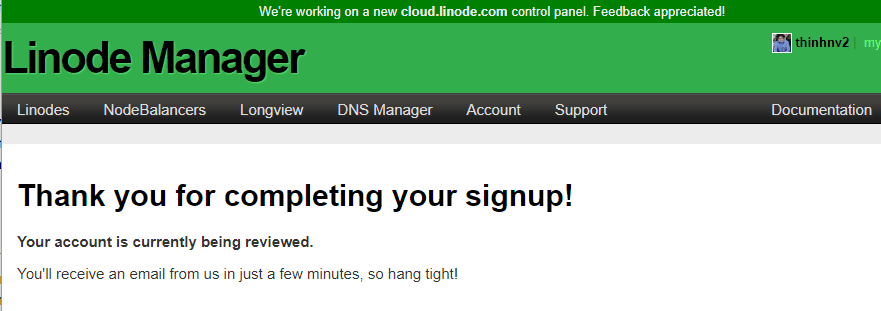
After about an hour I received the email as below. If you find it longer you can open a ticket to urge them.

Email content: you need to take a photo of the front and back of your ID card, the front of your credit card (cover the card number to reveal only the last 6 digits). Then send them the upload link in the email or reply to the email with the document attached.
In the email also informed that the 5$ I deposited was refunded. Refund is also reasonable because if your account is not approved, they will also have to refund. Therefore, it is best to proactively refund first.
After a while, your account will receive an activation email as below:

You will see the $20 credit already in your Linode account.

So we already have an account activated in Linode.
Now you can start creating VPS Linode .


