


Advanced Database Cleaner – the best database cleaning plugin for WordPress.
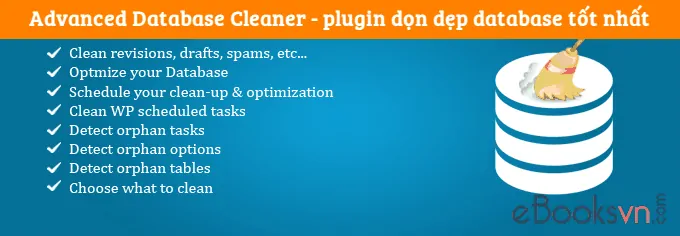
Cleaning and optimizing the database has long been one of the most effective methods to improve the loading speed of your WordPress website . Usually, when newly installed, each WordPress website only has about 12 tables (tables) and only a few MB in size. However, over time, the size of the database will quickly swell, especially if you regularly upload content or install plugins and themes. Although we have removed plugins and themes that are no longer in use, the records or tables they leave behind will still exist.
Explore more:
- Instructions for using the Advanced Database Cleaner plugin
- Top 3 best plugins to clean up WordPress database
Cleaning up unnecessary data will make the database less cumbersome and the response speed to requests will also be faster. However, it is quite unfortunate that so far there has not been a plugin that really does the above things. Usually, you will have to use a combination of many plugins as well as skills in working with phpMyAdmin to remove unnecessary data.
Until one day, I discovered Advanced Database Cleaner by accident. And its great features made me not hesitate to order the Pro version right away for $ 16 .

Advanced Database Cleaner Free Edition
Advanced Database Cleaner has a free version with basic cleaning and optimization features, like most other database optimization plugins, such as:
- Clean up unused data, including: revisions, drafts, auto drafts, pending comments, spam comments, trash comments, orphan postmeta, orphan commentmeta, orphan relationships and dashboard transient feeds.
- Allows you to select the data you want to clean.
- Set up automatic database cleaning at certain intervals.
- Optimize database and improve performance.
- Set to automatically optimize the database according to a certain period.
- View and clean up cron (aka scheduled tasks)
- View and clean up the tables in the database.
- View and clean up the options panel.
- Multisite support.
You can download and experience it for yourself here .
What’s hot about Advanced Database Cleaner Pro version?
What the Pro version of this plugin can do is even more amazing. You can see a table comparing its features with other database cleanup plugins, right below:

In there:
- A: Advanced Database Cleaner Pro (paid).
- B: Advanced Database Cleaner free version.
- C: WP Sweep .
- D: WP-Optimize.
- E: Optimize Database after Deleting Revisions.
- F: WP Clean Up.
Compared to the free version, the Pro version adds valuable features such as:
- View detailed information about the data before deleting.
- Detect cron tasks that are no longer in use.
- Detect unused records in options table.
- Detect tables that are no longer in use in the database.
- Groups of objects will be distinguished by different colors.
It’s so wonderful, isn’t it? Currently the Pro version of Advanced Database Cleaner is on sale for:
- $39 when used for 2 sites .
- $59 for 5 sites .
- $149 for unlimited use of sites .
You only have to pay once and be supported and updated forever.

Are you using Advanced Database Cleaner plugin on your website? How do you rate its features and performance? Let us know your opinion through the comment box below.
If you liked this article, follow my blog to regularly update the best and latest articles. Thanks very much. 🙂


