


In my previous post, I shared with you a list of the best free hosting providers for WordPress .
In that list, I mentioned 000webhost as a quality free hosting provider.
Today’s article, I guide you how to register for free hosting here.
Signing up is very simple.
Let’s start together.
Contents
Register for free hosting at 000webhost
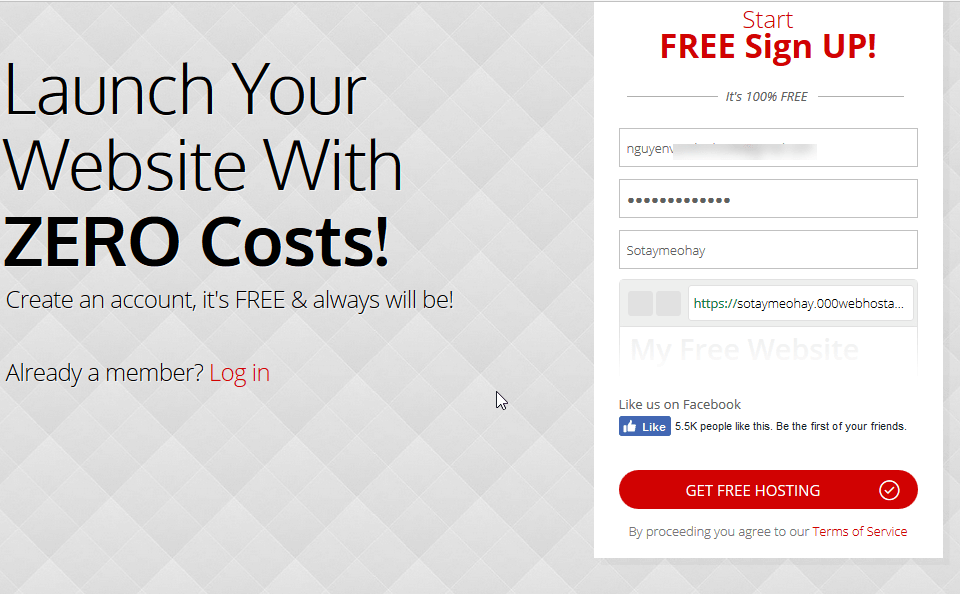
First you visit the homepage 000webhost.com . You click on the Sign Up Free button.

Next, you fill out the registration form. Enter your email address and website name. Click the GET FREE HOSTING button .
Then, go to your email inbox and confirm your email.
In the admin screen of 000webhost, we will create a website. You will have 3 options: use the website builder tool to build your website, install a WordPress website and upload a website you have built before.
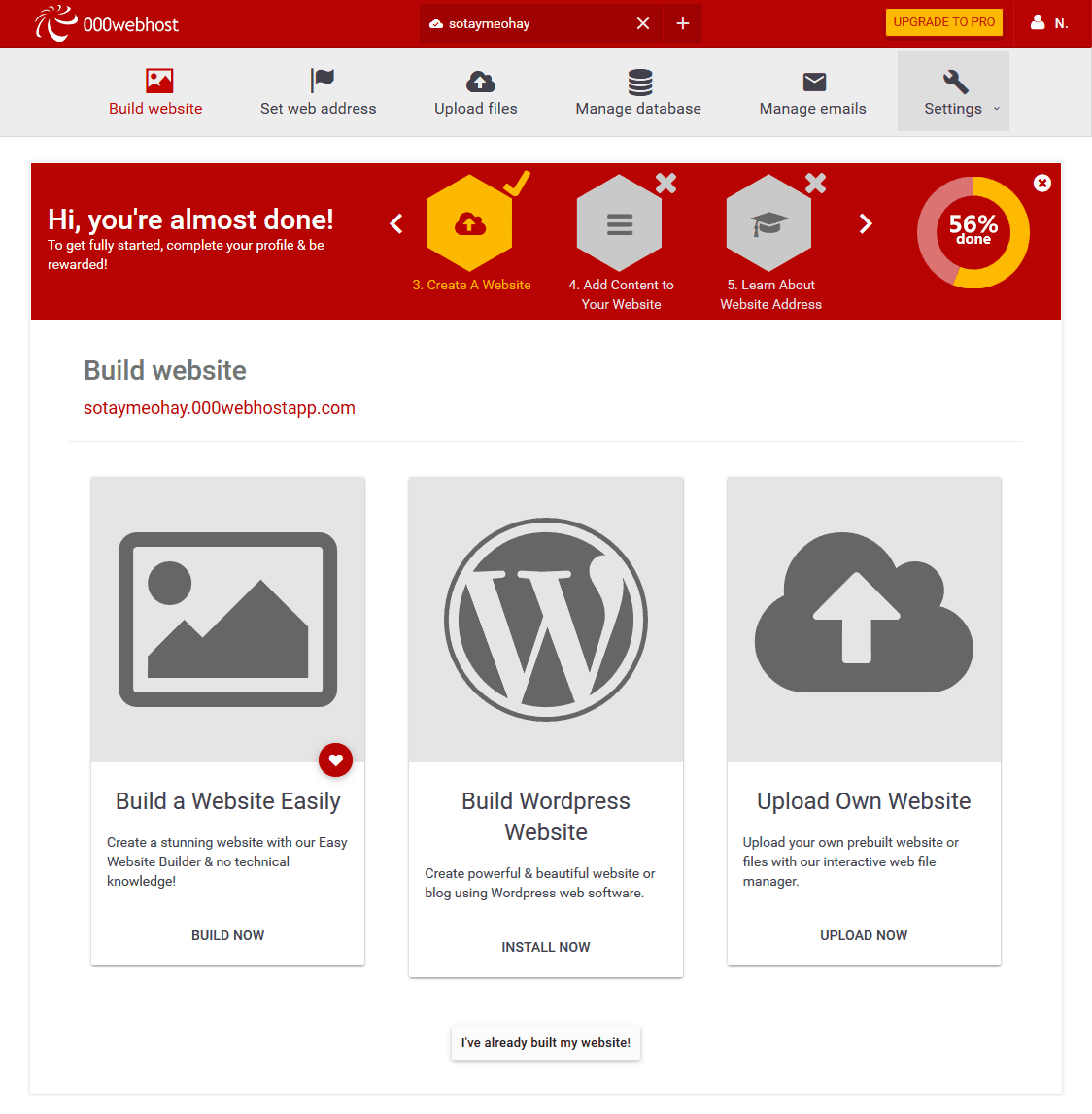
Here we will choose the WordPress website builder option. 000webhost is the right environment for those who want to learn how to use WordPress but do not have the conditions to rent hosting.
After you click the Install Now button , a dialog box appears asking you to enter the admin account information.
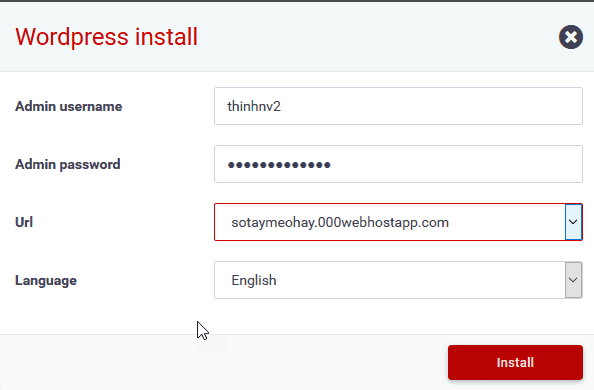
Once imported, click the Install button .
Wait for a while. As soon as WordPress installs successfully you will see the following message:
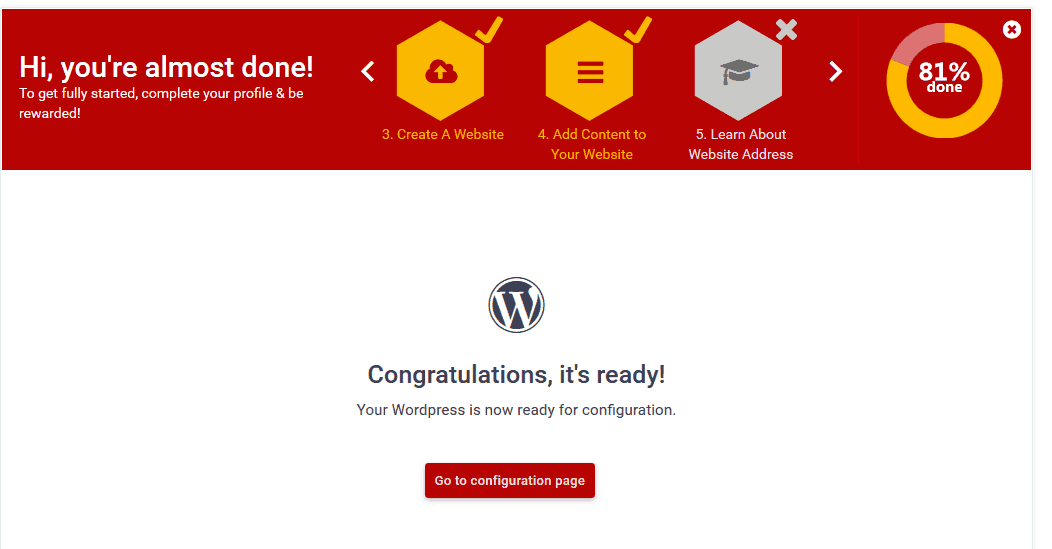
Now you can access your website at the link: website-name.000webhostapp.com and the corresponding admin page path website-name.000webhostapp.com/wp-admin
If you want to use your own domain we continue to learn how to point the domain to 000webhost
Point the domain to 000webhost
In the screenshot above you can click Learn about website Address or click Set web address in the tab at the top of the screen to learn how to set up the website address.
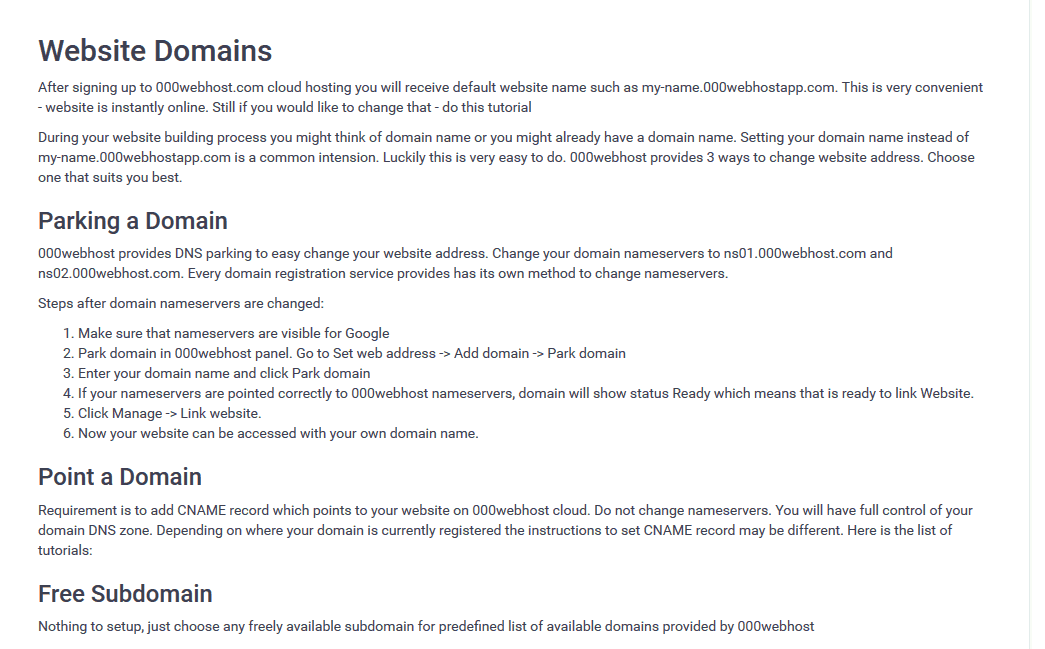
As the screen above we have 2 ways to use our own domain: parking a domain and point a domain. Parking a domain requires you to change the domain name server. The other form is not needed.
Here I guide you how to Parking a domain.
The first step, you go to the domain administration screen to change the name server using two values ns01,000webhost.com and ns02,000webhost.com. How it changes depends on the domain name provider’s admin interface
Next, go to the Set web address section of 000webhost. Scroll down and click the Add domain button
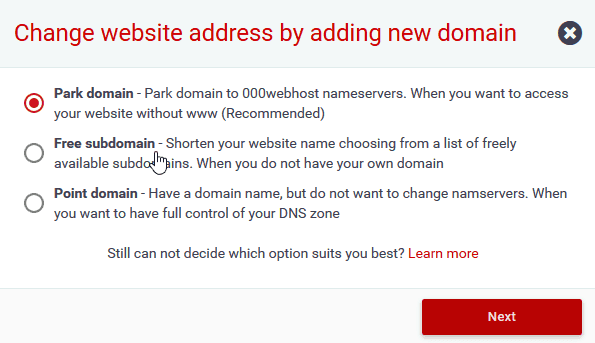
The dialog box that pops up, you choose Park domain
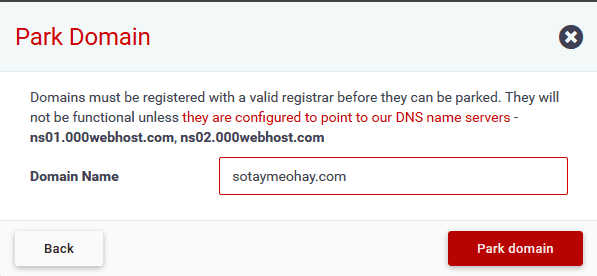
Enter the domain name and click Park Domain
Wait until 000webhost receives the nameserver information of the domain name entered. As soon as the process is complete you will see the status Ready.
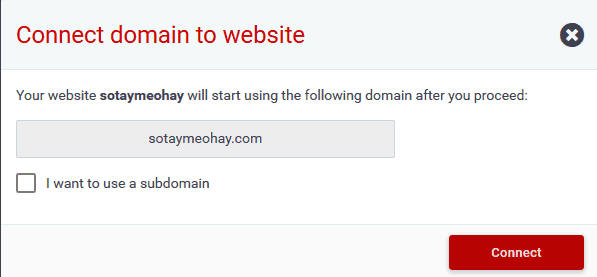
Now click on Manage->Link website to select the website you want to link. It’s done
Change host when you are ready to pay for hosting
Free hosting is only suitable for you who are just starting out and want to get familiar with WordPress. Once you’ve built your website, you should switch to a more quality paid hosting service like A2Hosting or Hawkhost .
To transfer your website at 000webhost to another provider you can use the Duplicator plugin .
If your Duplicator fails, you can switch to the manual method. Specifically, you need to get the entire file of the website and the database part.
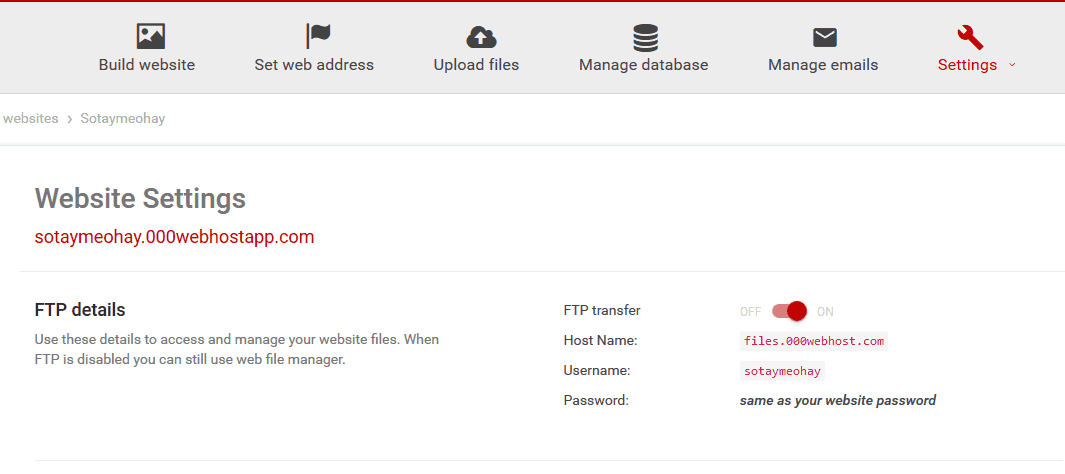
About how to get the source code file, you use FTP Client like FileZilla to access 000webhost’s server. For your connection information, go to Settings -> General.
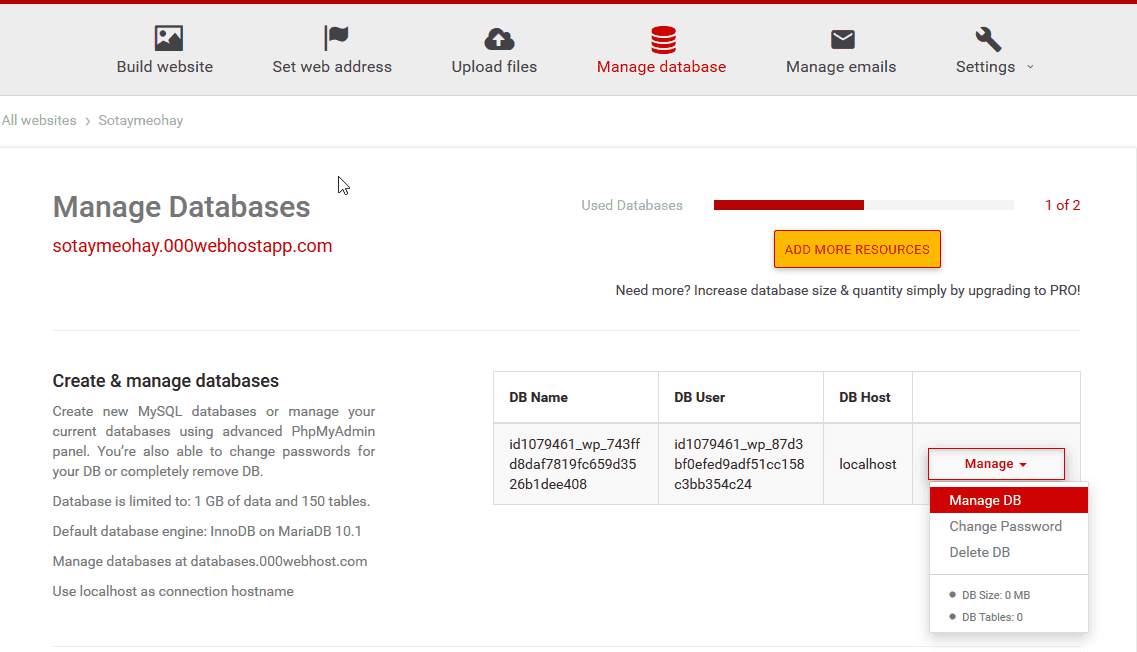
To get the database, go to Manage Database. Click Manage -> Manage DB . Now phpMyAdmin opens. You select the database and click Export. So you will have a sql file containing the website’s database
About how to manually transfer WordPress website between shared hosts, you can refer to this detailed article .
Epilogue
So, you already know how to register for free hosting at 000webhost . With this free hosting service, you have the environment to study WordPress without spending a dime.
If you have any problems with 000webhost’s free hosting, leave a comment below.


