

Accordion is a clean web app that lets you display content in collapsible tabs.
Accordion allows you to display more content across posts and pages without the need for extra long scrolls. If you want to shrink the length of a page, then you should consider adding your content to the accordion.
You can add vertical or horizontal accordions with text inside each tab. When the user clicks or hovers over the tab, it expands to show the content.
Step 1: Go to Plugins => search “Accordion” you will see an interface like this:

Step 2 Use: you access Dashboard => Easy Accordion:
Select Add new you add Title , Content includes title and description

- Section accrdion settings:
+ Accordion Layout: choose the display style
+ Choose a Theme: you upgrade to the pro version and you will see more than 20 themes available on the interface for you to choose from
+ Activator Event: Type of mouse click event: click , hover or automatically (autoplay)

– Display settings: allows you to choose the distance between title, description, style icon, …

- Typography: allows you to choose the right font:

Once successfully created, we will use short code or php to paste it where you want the accordion:
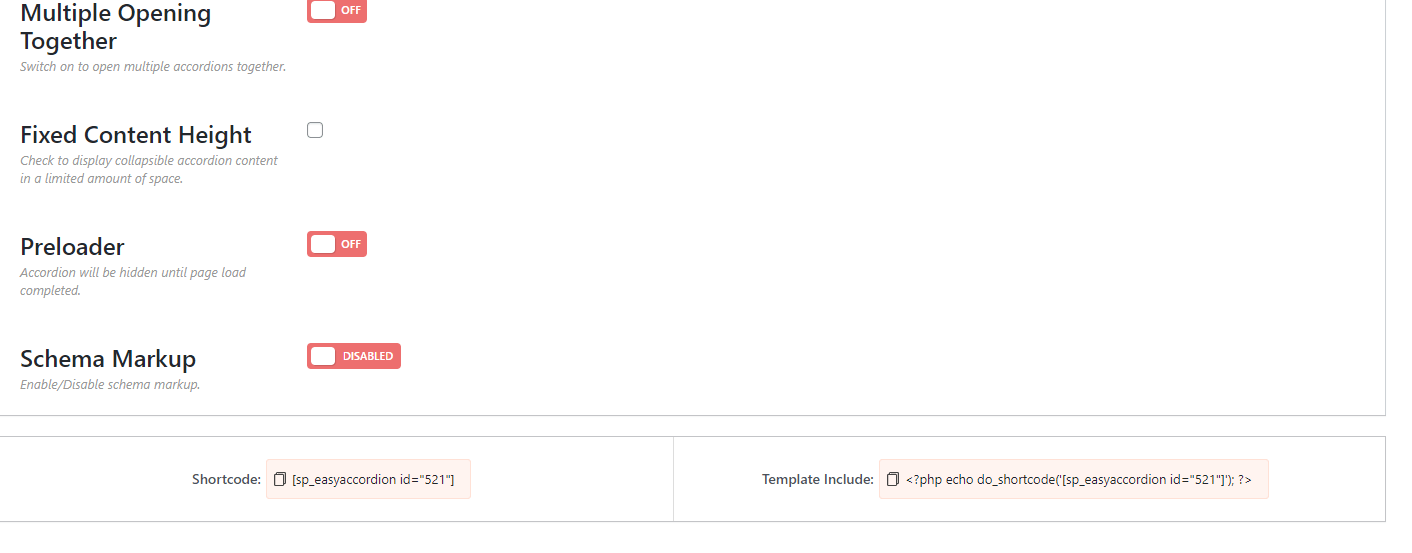
The above shortcode is [sp_easyaccordion id=”521″], here I paste the result like this:

Epilogue
Below I have shared how to create Accordion in wordpress, if you find it interesting, don’t forget to leave a comment below
If you find it interesting, you can follow the wordpress tips section to know more new knowledge.
Follow fanpage to receive the latest posts: Group
Wish you have interesting and interesting knowledge about wordpress!


